Explore the unit · illustrative introduction
CO₂ dragster
Compare the build stages. What must be fitted before the car can roll?
In this one-term design unit, students learn how forces affect dragster performance by exploring Newton's three laws of motion, then investigate the physics of speed through body and wheel design. They develop a dragster design to solve the challenge of creating the fastest car, moving from ideation and hand-drawn plans through to CAD models of both dragster body and wheels in Onshape. Students test their designs using a CO₂ dragster wind tunnel, examining how aerodynamics and components work together, and record their findings with annotations and written analysis.
What students do
- Make & document39%
- Read28%
- Write11%
- Check understanding10%
- Hand in5%
- Think4%
- Explore & simulate2%
IB MYP criteria
- AInquiring and Analysing
- BDeveloping Ideas
- CCreating the Solution
- DEvaluating
Tools students use
The green ones are free to try now — no account.
The lessons

Discover
Find out what's really going on.1. Intro to Unit and Forces

8 activities
- Newton's Three Laws of Motion explained with a bicycleRead
- The Four Forces on a DragsterRead each force card carefully.Read
- Sort Features by ForceSort each feature into the correct force column.Check understanding
- Label the Four ForcesYour teacher will display (or you will open) a side-view image of a CO₂ dragster.Make & document
- Mass vs Acceleration SimulatorThe CO₂ cartridge delivers a constant thrust of 6 N.Explore & simulate
- Decode the BriefSort each fragment from the CO₂ Dragster brief into the correct column.Check understanding
- Restate the Dragster ChallengeIn your own words, write two to three sentences that answer both of these questions: What must your CO₂ dragster do?Write
- Forces & Brief: Quick CheckAnswer each question.Check understanding
Define
Say exactly what you're solving.2. The physics of fast — three levers
Assessment8 activities
- Your taskStudents study \~20 dragsters built by past students and argue — from physics, not opinion — which designs are fast and which are slow, proving each point with …Read
- Fastest BodyPick the fastest body Take a photo upload Explain through annotations why this is the fastest using terms from lesson 1Make & document
- Slowest BodyPick the slowest body Take a photo upload Explain through annotations why this is the slowest using terms from lesson 1Make & document
- Fastest WheelsPick the fastest wheels Take a photo upload Explain through annotations why these are the fastest using terms from lesson 1Make & document
- Slowest WheelsPick the slowest wheels Take a photo Upload Explain through annotations why these are the slowest wheels using terms from lesson 1Make & document
- What will you do based on this research?3–4 sentences: what you'll carry into your own dragster and what to avoidWrite
- How this is markedRead
- Hand it inHand in

Ideate
Lots of ideas first. Pick one after.3. Ideation
Assessment4 activities
- Your taskWhat you're making You are creating a set of 5 concepts (thumbnail) sketches that capture your early ideas for a race-car design.Read
- Photo or file uploadUpload your work.Make & document
- How this is markedRead
- Hand it inHand in
Define
Say exactly what you're solving.4. Choose One Design and Justify
3 activities
- ReadingWalk through the lesson roadmap: (1) You'll score each of your dragster designs against four weighted criteria using a decision matrix to see which scores …Read
- Decision matrixList your 5 CO2 dragster design options across the top of a decision matrix table.Think
- Sentence builderUsing the fragment bank below, drag the correct pieces into the four blanks to build one complete justification sentence for your chosen CO2 dragster design.Check understanding

Prototype
Make it real, roughly, then properly.5. Draft Plans
Assessment4 activities
- Your taskWhat you're making You are producing a set of final technical plans for your dragster — drawn to 1:1 scale on grid paper.Read
- Upload your plans. You can annotate directly on the drawing or with this annotation toolAnnotate the designsMake & document
- How this is markedRead
- Hand it inHand in
6. CAD model dragster body

2 activities
- Key wordsRead
- Model a CO2 dragster body in Onshape using a series of Youtube tutorialsRead
7. Wheel Design
5 activities
- Key wordsRead
- Wheel Design and SpeedA CO2 dragster only gets one short burst of thrust, so almost everything that happens after the cartridge fires comes down to how little energy the car wastes.Read
- Wheel Design: Check for UnderstandingAnswer each question.Check understanding
- Sketch your wheel designsSketch your design(s) including the front and side.Make & document
- Explain your designWrite a short note (3–4 sentences) that explains: How will your wheel size and design help your dragster go faster?Write
8. CAD your Wheel


3 activities
- Watch the following videos to make your wheels in OnshapeRead
- Onshape to make a wheel (part 1/2)Read
- Onshape to make a wheel (part 2/2)Read
Discover
Find out what's really going on.9. Wind Tunnel

1 activity
- Everything You Need to Know About Wind TunnelsRead
Test
Try it. Find what breaks. Fix it.10. Testing
Assessment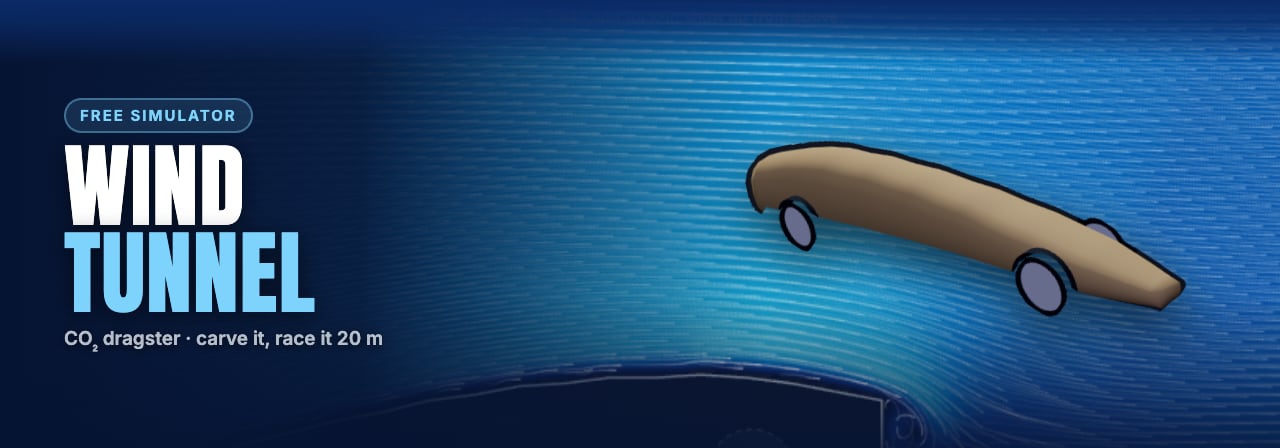
6 activities
- Your taskWhat you're making You are testing and evaluating your current design using two digital simulations — the wind tunnel simulation and the racing simulation — …Try the CO₂ dragster wind tunnel free ↗Read
- Windtunnel TestGo to the wind tunnel test studioloom.org and upload your .stl model.Try the CO₂ dragster wind tunnel free ↗Read
- Written answerRun your CO₂ dragster through the wind tunnel.Try the CO₂ dragster wind tunnel free ↗Write
- Image annotateUpload your wind tunnel screenshot.Try the CO₂ dragster wind tunnel free ↗Make & document
- How this is markedRead
- Hand it inHand in
Teach this with StudioLoom
Students work through each lesson with the thinking tools built in, and build a portfolio as they go.